
Version 1.0.0 for Android
Your crypto. Your keys. One wallet.
A self-custody wallet for Bitcoin, Ethereum and the networks around them. Hold, send and use dapps without handing your keys to anyone.
No account. No email. Android 7.0 and up.
Seven networks built in
Bitcoin, Ethereum, BNB Chain, Polygon, Arbitrum, Optimism and Avalanche.
Any EVM network, one tap
Add it from Chainlist, or enter one by hand. Any token by its contract.
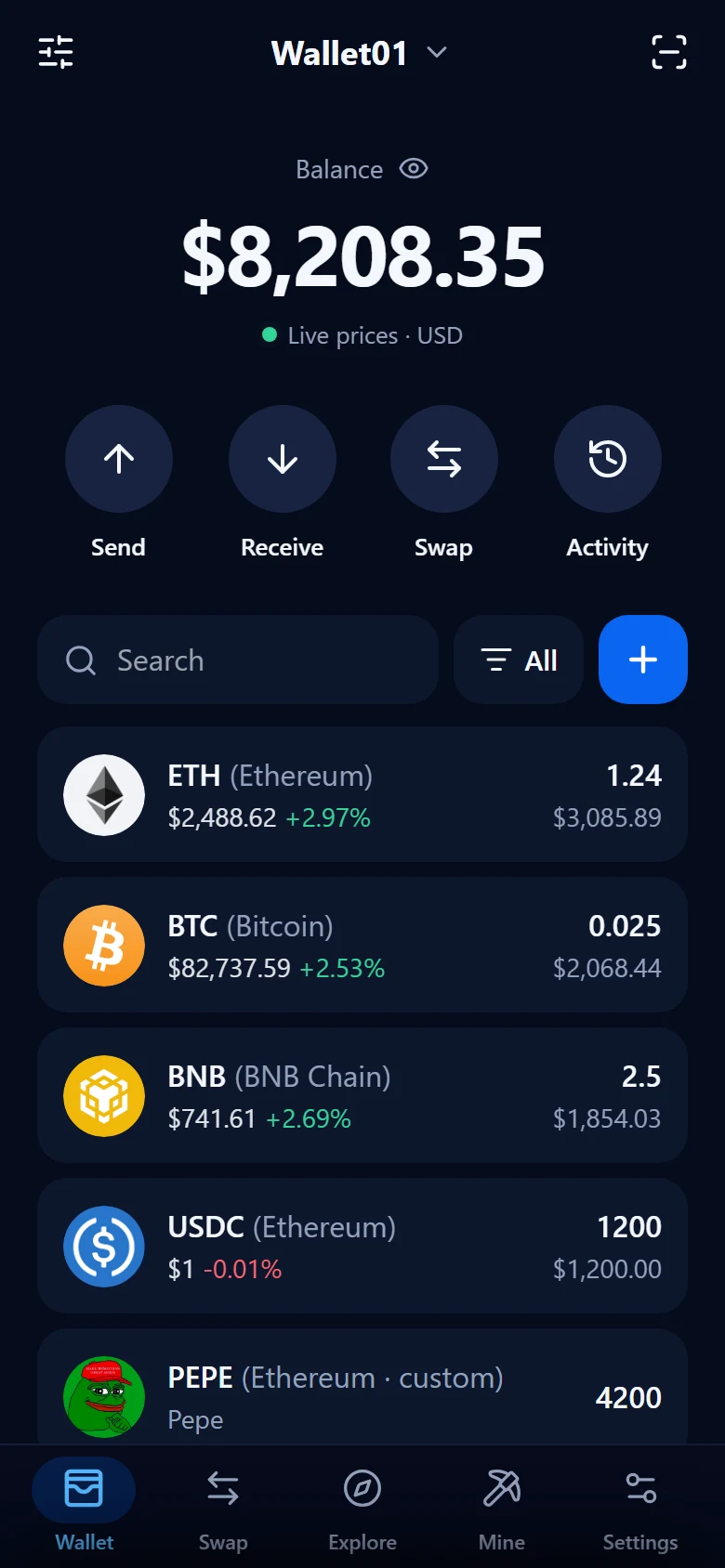
Live prices
On everything you hold, with a total you can hide with a tap.
Arranged your way
Several wallets, pinned and hidden assets, light or dark.
Networks
Seven chains in orbit. One wallet at the centre.
Bitcoin and six EVM networks are built in from day one. Any other EVM network is a tap away on Chainlist.
 Bitcoin
 Ethereum
 BNB Chain
 Polygon
 Arbitrum
 Optimism
 Avalanche








Dapp browser
Use any dapp.Stay in your wallet.
Swap, lend, stake and trade on the apps you know. They open inside FNF Wallet and ask before anything happens.
13 verified dapps
Matched by exact address, so you start on the real site and not a copy.
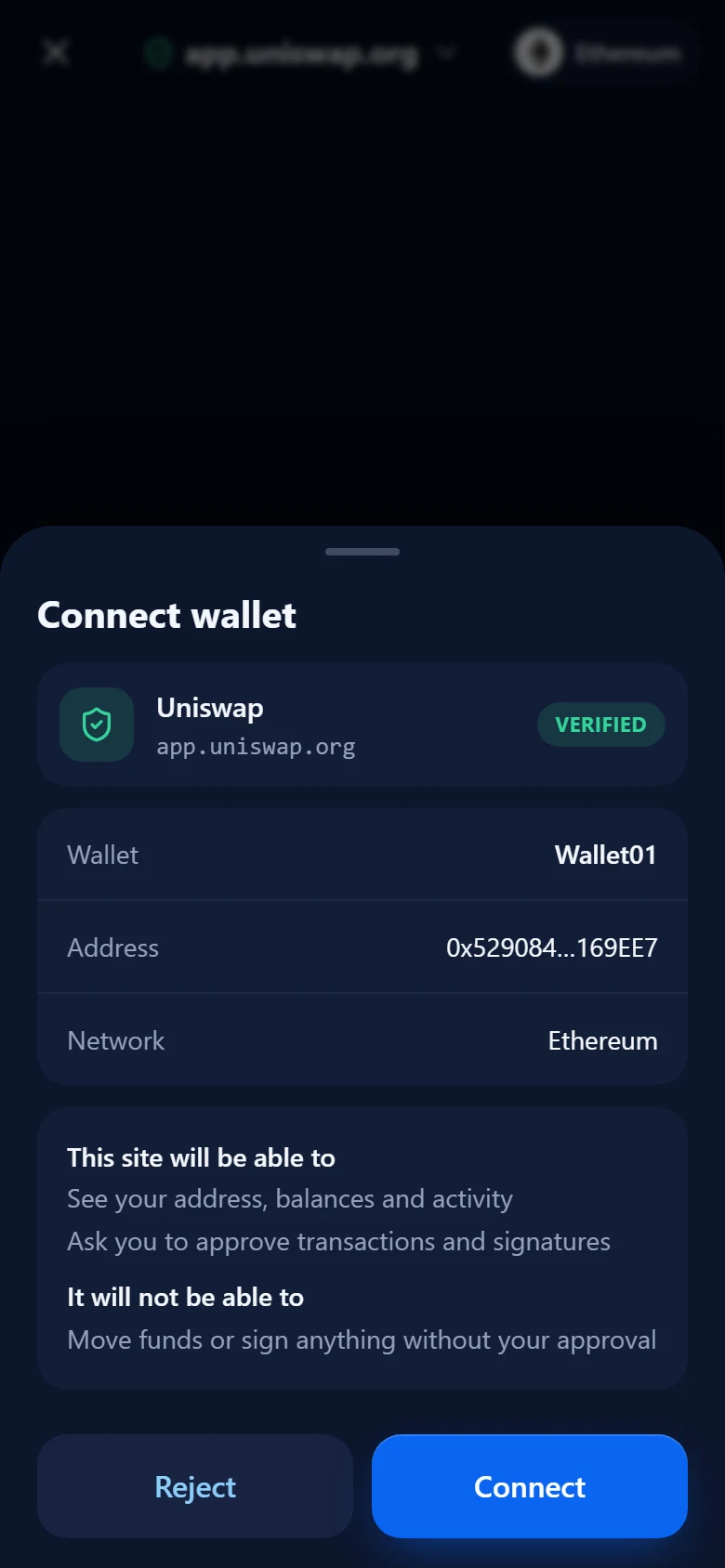
Private until you connect
A site sees nothing, not even your address, before you approve it.
Switch networks in place
From the address bar, or with one tap when the dapp asks.
Disconnect any time
Every connected site sits in one list, one tap from gone.
No account. No email. No server holding your keys. Just you, your phone, and a recovery phrase nobody else has seen.
Clear signing
Sign nothingblind.
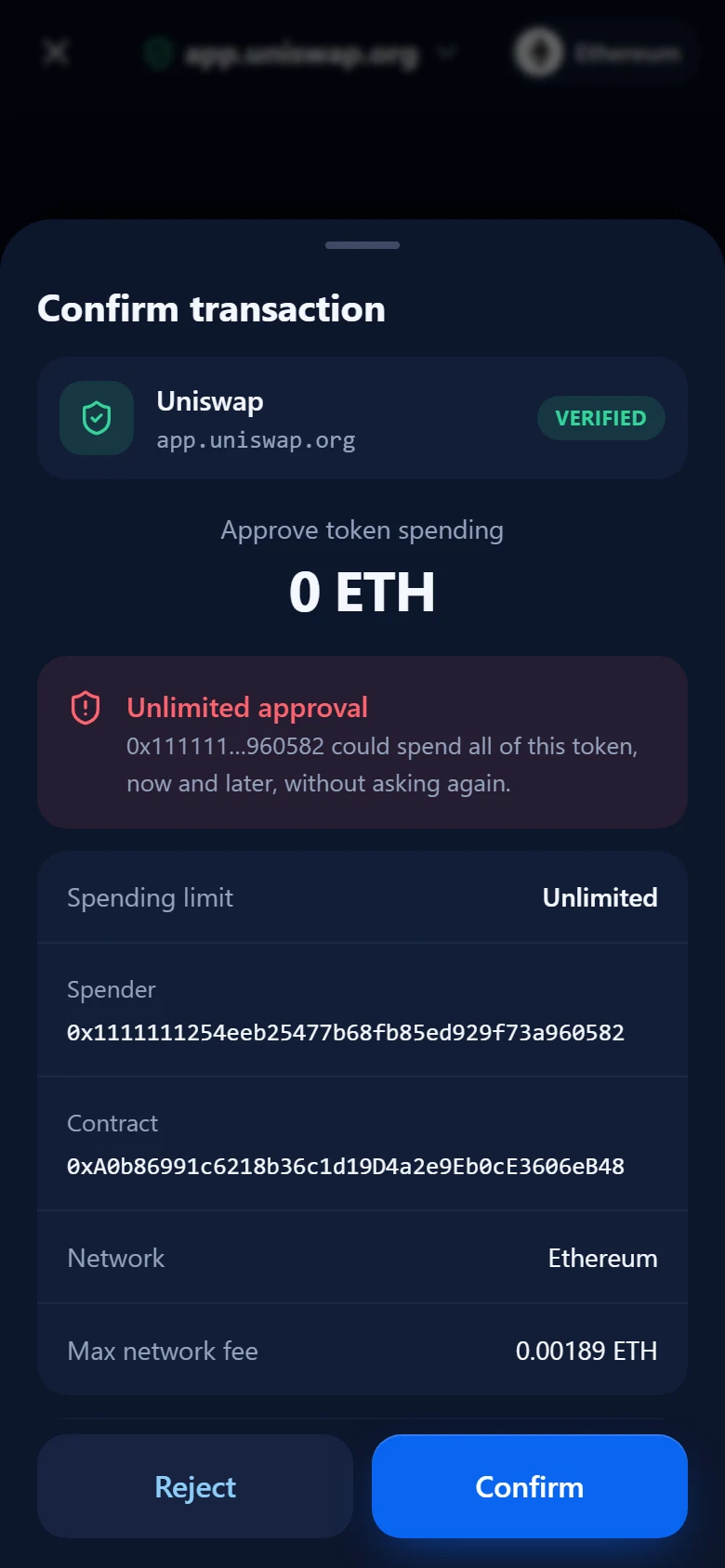
Most stolen funds are signed away by their owner. Every request is put in plain words, with a warning when it looks dangerous.
Risky requests flagged
Unlimited approvals and lookalike sign-ins are called out in red.
Decoded and simulated
Plain words first, and a warning if the transaction is going to fail.
PIN or biometrics
On every signature and every send. It cannot be switched off.
Encrypted on your phone
Argon2 and XChaCha20-Poly1305. Keys never leave the device.
Under the hood
Built so only you can spend
Nothing here depends on trusting us with your keys, because we never have them.
No server holds your keys
There is no account to breach and nobody to ask for your funds. The recovery phrase exists on your phone and on your paper.
Proven signing code
Transactions are built and signed with Trust Wallet Core, the open-source library behind wallets used by millions.
Biometrics from the hardware
Fingerprint and face unlock are backed by the Android Keystore, with your PIN as the way in when they are not available.
A browser that says no
Dapp pages run isolated from the wallet, over HTTPS only. Certificate errors cannot be clicked through.
Self-custody cuts both ways
Your recovery phrase is the only way to restore your wallet. Write it down, keep it offline, and never type it into a website.
Inside the app
Take a closer look
Swipe through the wallet, one screen at a time.
HomeEverything you hold
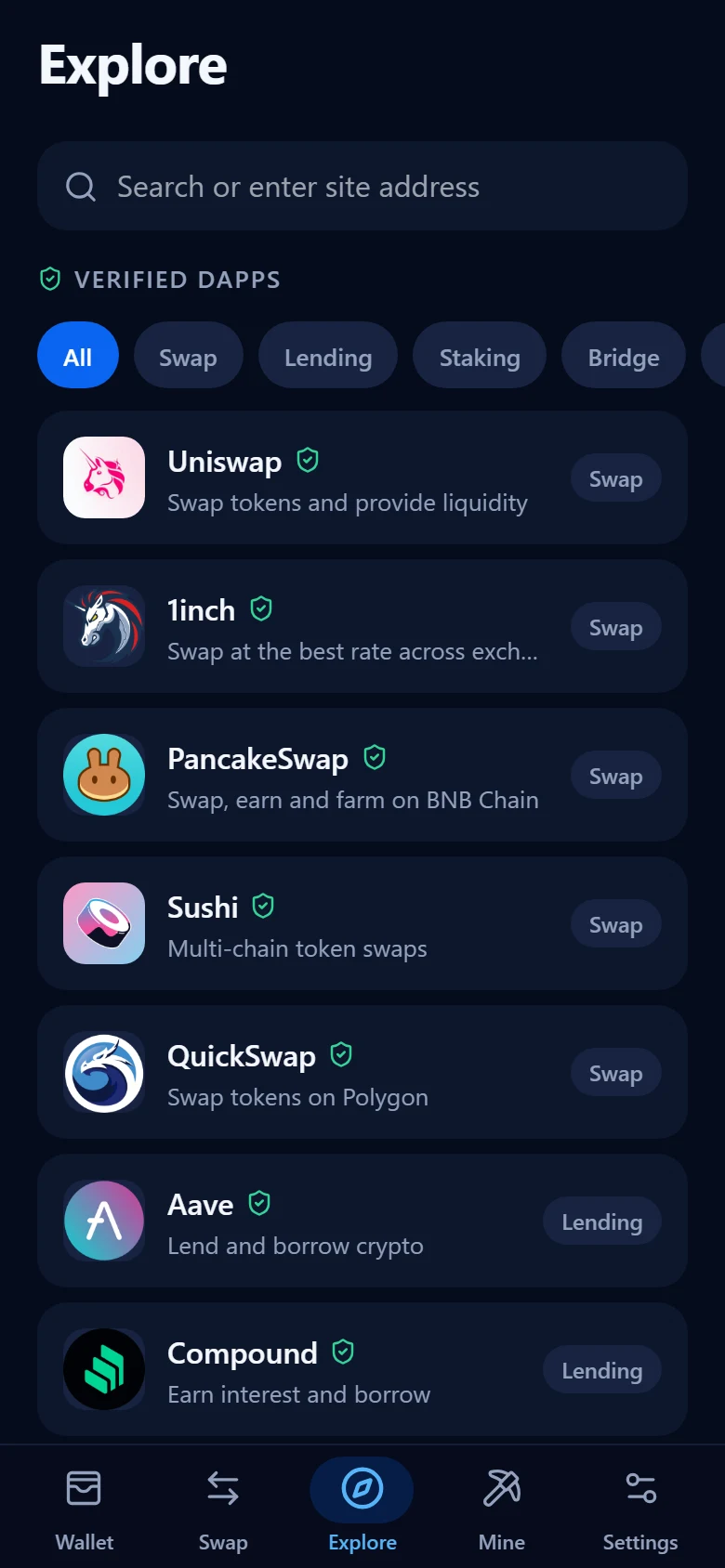
ExploreVerified dapps
ConnectEach site asks first
SignWarnings before you confirm
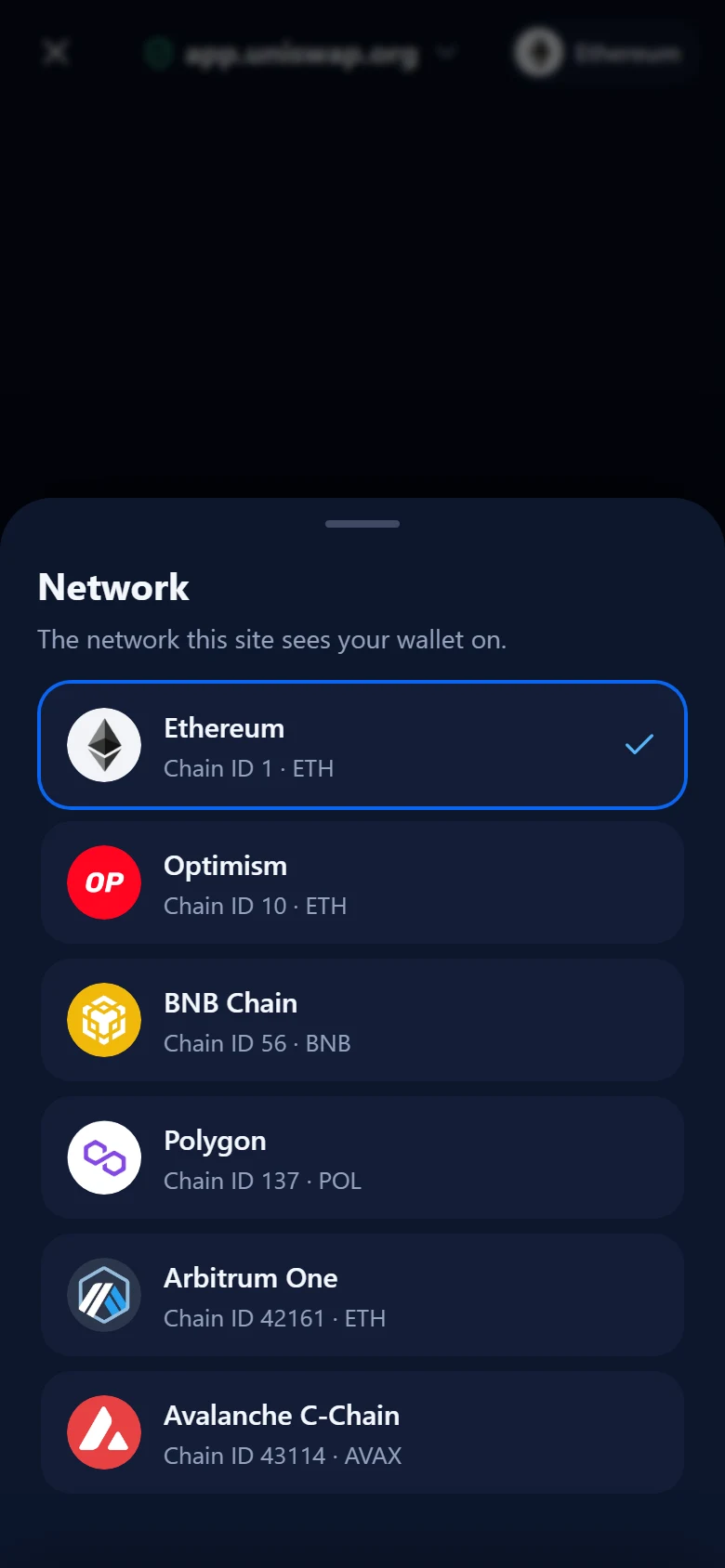
NetworksSwitch in place
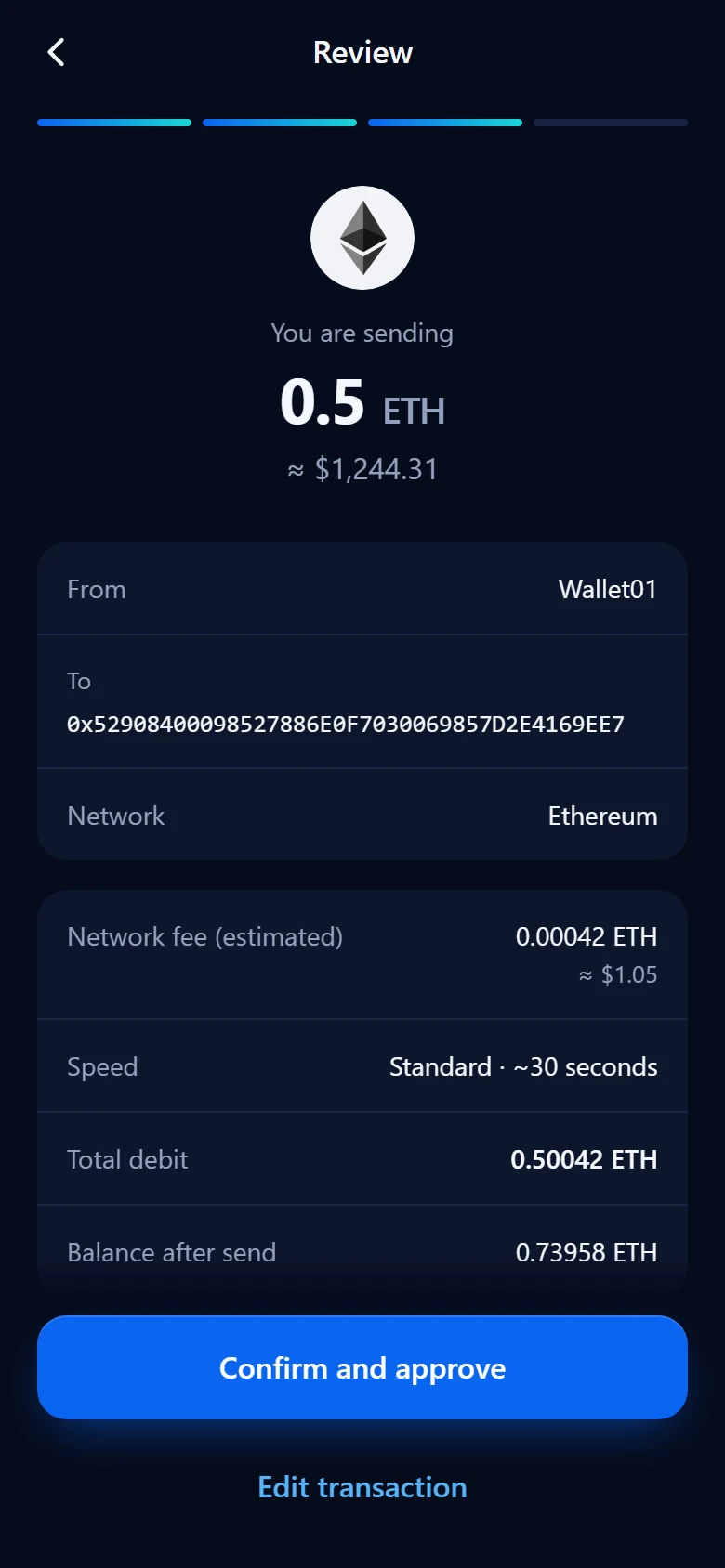
SendFee and total up front
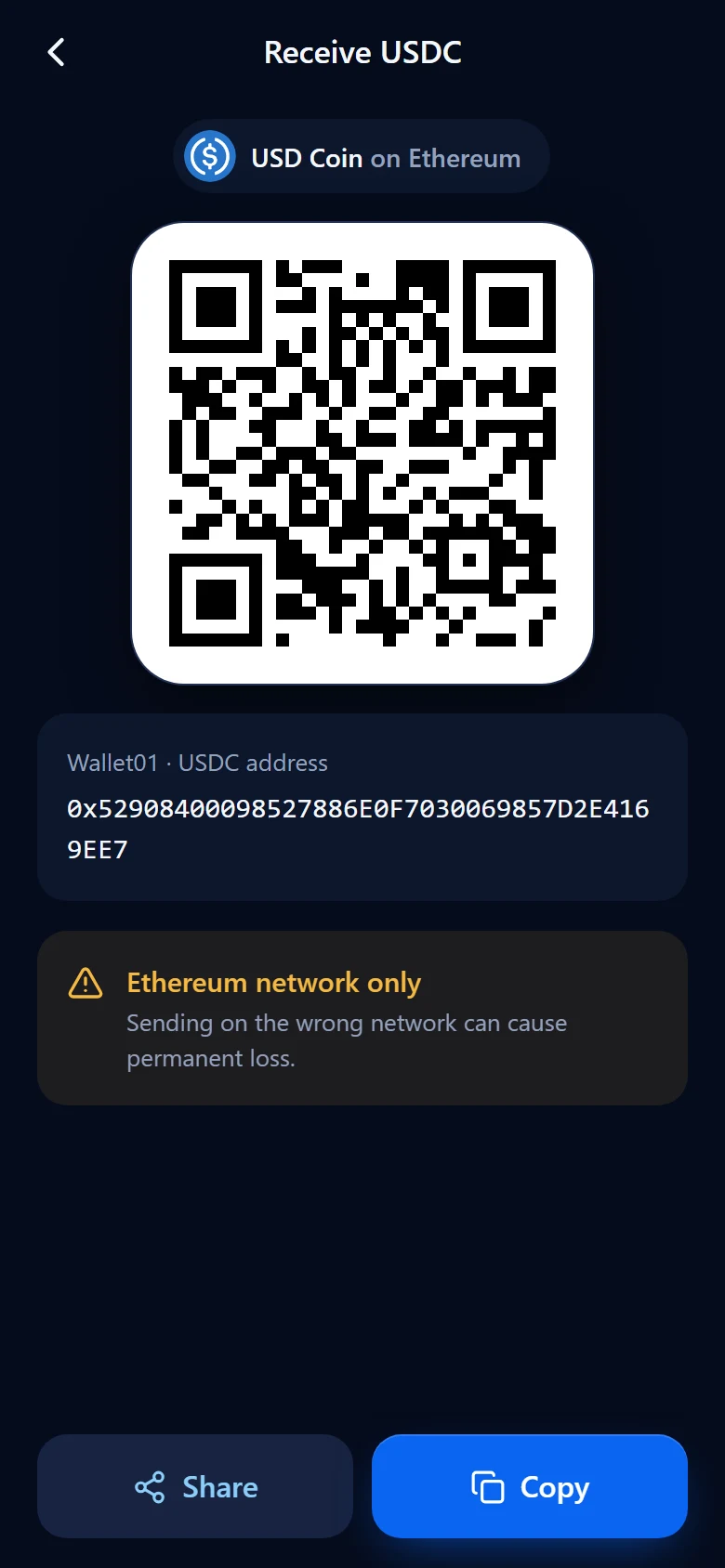
ReceiveYour address as a QR code

Get FNF Wallet
Set up takes about a minute. Create a new wallet or bring one you already have.
Download for AndroidVersion 1.0.0 · Android 7.0 and up · APK file
- 1
Download the APK
Tap the button on your Android phone.
- 2
Allow the install
Android asks once before installing an app from your browser. Confirm it.
- 3
Create or import
Start a new wallet, or restore one with its recovery phrase.
FAQ
Questions, answered
Who holds my keys?
You do. Your recovery phrase is created and encrypted on your phone and is never sent anywhere. There is no account, no email and no server that could hand your funds to someone else.
Which networks are supported?
Bitcoin, Ethereum, BNB Chain, Polygon, Arbitrum, Optimism and Avalanche are built in. You can add any other EVM network from Chainlist, or enter one by hand, and add any token by its contract address.
Can I bring a wallet I already have?
Yes. Import it with its recovery phrase or a private key. You can keep several wallets in the app and switch between them.
What happens if I lose my phone?
Install FNF Wallet on a new phone and restore with your recovery phrase. That phrase is the only way back in, so write it down and keep it offline. Nobody, including us, can recover it for you.
Why does Android warn me when I install it?
FNF Wallet is installed from an APK file rather than an app store, and Android asks for confirmation before installing any app that way. Download it only from this site.
Is there an iPhone version?
Not yet. FNF Wallet currently runs on Android.